Every year the KDE Community conducts a large-scale field-test of KDE Itinerary, their fantastic travel companion app, disguised as annual community conference. This year’s Akademy takes place in the capital of Germany, Berlin. I have decided to try and exclusively use KDE Itinerary (full trip planner app) and KTrip (focused on public transport) for all my travel needs from and to the venue as well as its accompanying events.
(or: “How to do your project a disservice by calling it names”)
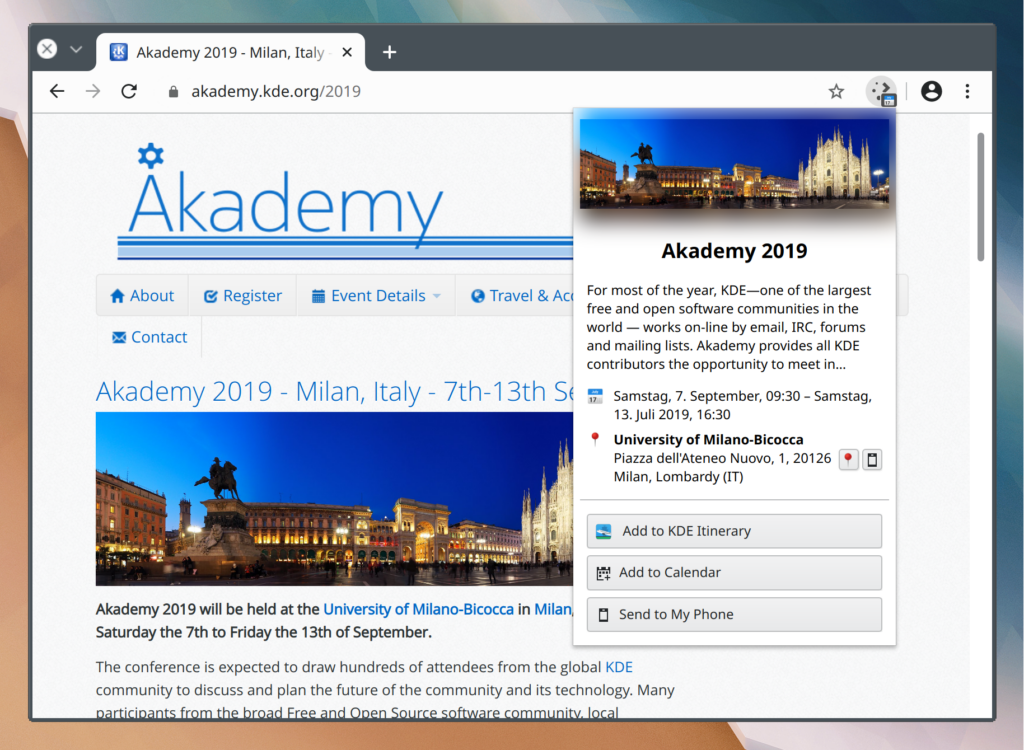
For a change, this blog post isn’t about notifications but don’t worry: there’s enough thrilling stuff to come in this area soon. Anyway, during Akademy 2019 in Milan I began adding KDE Itinerary capabilities to my pet project Plasma Browser Integration. The idea was to provide at a glance information about the subject of a website the user is currently viewing. It’s been a while since I worked on it but that of course just means that I’ve been busy doing other awesome things. ;)
KDE Itinerary is a project to get your travel itinerary presented to you in a unified, well structured and always up to date fashion, by extracting structured data from emails, boarding passes, and other sources. I successfully traveled the world with it!
Step 1: The crazy idea, is it viable?
“Itinerary Research” extension showing what it’s found
Since I’m always looking for new innovative features to add to Plasma Browser Integration, having KItinerary not only look at your emails but also websites seemed like a natural evolution. During the Nürnberg Megasprint™ in June I pitched the idea to Volker Krause and he talked me through how all of this structured data and boarding pass magic worked. I then wrote a quick and dirty browser extension that scanned your open tabs for any such annotations, so we got a sense of how common they actually are in the open web.