As many long running projects, Qt too over the years has accumulated some APIs that in hindsight are deemed unsafe or sub-optimal. For example, Qt by default implicitly converts const char* to QString. While that usually only incurs a runtime overhead, maybe encoding problems, but also admittedly less cluttered code, there’s other APIs that can backfire in more subtle ways. One such API is doing a “context-less connect”.
Continue reading Qt No Contextless ConnectCategory: Planet KDE
Posts to be published on planetkde.org
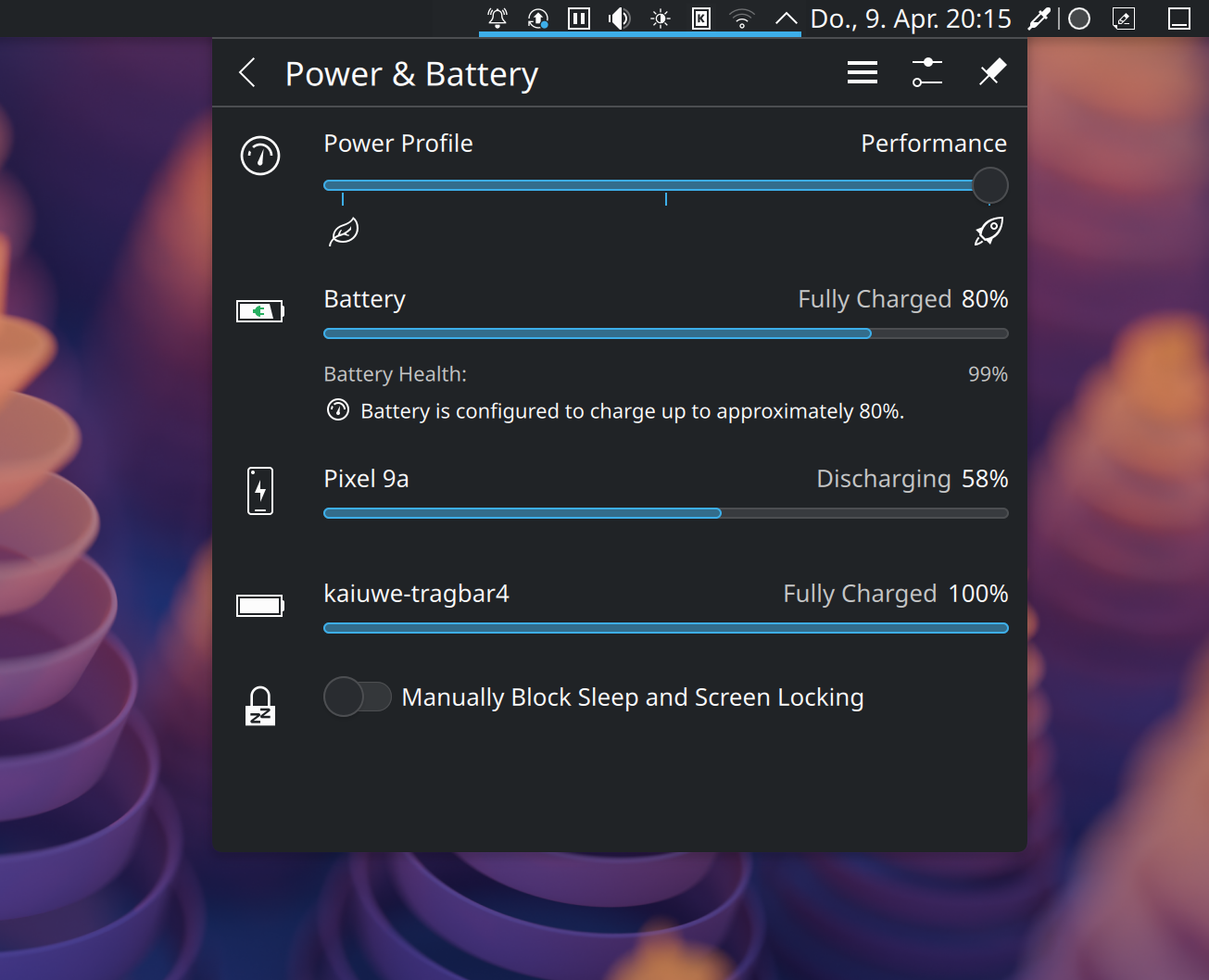
Tighter KDE Connect Integration
In my opinion, KDE Connect is one of the finest pieces of software KDE has ever produced. It lets you easily pair your devices and makes them work together. Copy some text on your computer, paste it on your phone. A call comes in and the video you’re watching in your browser pauses. How cool is that? For the past couple of weeks I’ve been working on even tighter integration between KDE Connect and the Plasma desktop.
Nifty Dialogs
As explained in one of my previous blog posts where I revamped the unresponsive window dialog, KWin isn’t really designed to show regular desktop windows of its own. It instead relies on helper programs to display messages. In case of the “no border” hint, it just launched kdialog, a small utility for displaying various message boxes from shell scripts. This however came with a couple of caveats that have all been addressed now:

Holiday Hacking 2025
Like every year I took a couple of days off at the end of the year to wind down and spent some quality time with the family. Time just flies and it feels like the year had only just begun. I have also taken the time to revisit some of my work-in-progress merge requests and tried to push them over the finish line.

30 Reasons I ❤️ KDE Plasma
KDE’s 30th birthday is coming up next year. For this year’s holiday season I therefore decided to compile a list of 30 reasons why I love KDE Plasma. It makes me so much more productive and work a lot more fun. While some of the items listed below aren’t unique to Plasma, it’s the combination of all of those things that truly makes it the best desktop environment out there. Tell me, what are your top reasons?

Little KWin Helpers
KWin, our fantastic and flexible window manager and Wayland compositor, can not just drive your session but also run in windowed mode for development purposes:
$ dbus-run-session kwin_wayland --exit-with-session kwriteEt voila, a windowed KWin appears, running KWrite. The separate DBus session is important so it doesn’t mess with your running session, notably trying to take over your global shortcuts.

KSplash BGRT
A little side project I just published is a KSplash theme (the loading screen while logging into a Plasma session) that uses BGRT, the ACPI Boot Graphics Record Table. Basically: a KSplash theme that displays the vendor logo that also your UEFI shows during the boot process.

Plasma Browser Integration in 6.x
It has been a little quiet around my pet project Plasma Browser Integration. On one hand because I’ve been busy with life but also because browser extension APIs haven’t really gained much new functionality. Nevertheless, for Plasma’s October release I finally found the time to take care of some long-standing feature requests and/or bug reports.
Akademy 2025
I’ve just returned from this year’s Akademy in Berlin. Unfortunately, I couldn’t attend the entire conference that is still ongoing but the weekend of talks and welcome and social events have been magnificent. I’ve also meet a couple of fellow KDE hackers that I haven’t seen in a decade.

Akademy Time is Itinerary Time
Every year the KDE Community conducts a large-scale field-test of KDE Itinerary, their fantastic travel companion app, disguised as annual community conference. This year’s Akademy takes place in the capital of Germany, Berlin. I have decided to try and exclusively use KDE Itinerary (full trip planner app) and KTrip (focused on public transport) for all my travel needs from and to the venue as well as its accompanying events.
