In my opinion, KDE Connect is one of the finest pieces of software KDE has ever produced. It lets you easily pair your devices and makes them work together. Copy some text on your computer, paste it on your phone. A call comes in and the video you’re watching in your browser pauses. How cool is that? For the past couple of weeks I’ve been working on even tighter integration between KDE Connect and the Plasma desktop.
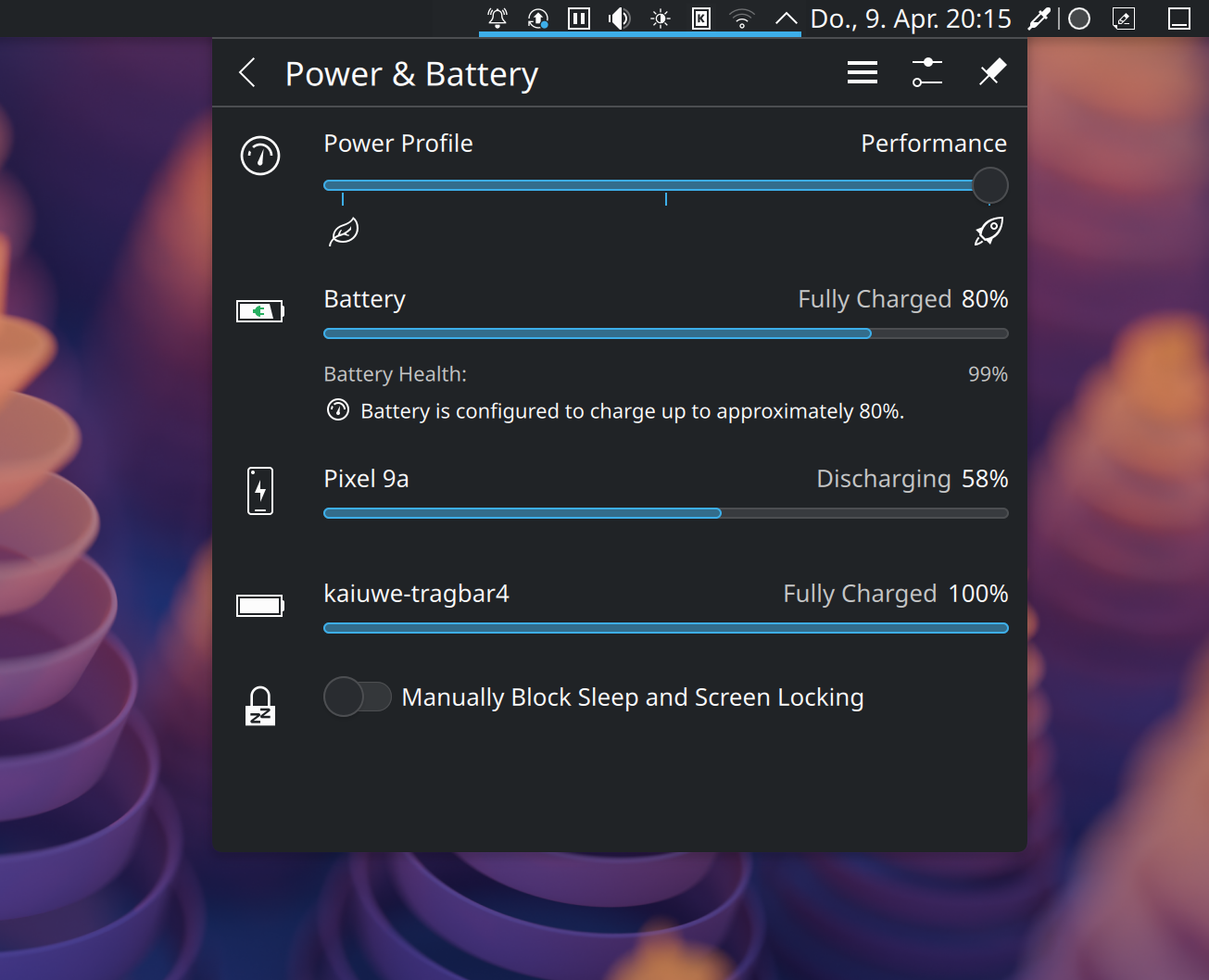
By adding a corresponding back end to Solid, KDE’s hardware abstraction framework, your phone’s battery status will show up in the “Power & Battery” popup just like a wireless mouse would. The key advantage of reporting a KDE Connect device as storage media is that it can show up in various places just like a USB drive would, including the Places panel in Dolphin and “Disk & Devices” in Plasma’s system tray. Right now, the Places panel entry is actually manually added by kdeconnectd creating a bookmark. This also means that any modifications done to the entry, such as hiding it, will be lost once the device disappears. If instead it is a proper Solid device with a unique identifier, the Places panel will remember that the device was hidden next time it is discovered. Additionally, PowerDevil, Plasma’s power management daemon, already automatically issues a notification when a connected external device runs low on battery.
Now that the fact that you can browse your phone’s storage remotely via KDE Connect is more obvious, I spent some time improving the user experience when doing so. Since KDE Connect is cross-desktop and cross-platform it uses sshfs to provide access to the phone. It doesn’t implement a proper KIO worker like we normally would since that really only works in KDE applications. This unfortunately comes with a couple of downsides: for example, the device is mounted into /run/user/<uid>/<deviceid> which is gibberish that will be shown to the user in the address bar. More importantly, though, it makes the file manager think it’s a local path (which is normally fast to access) and could lead to UI freezes when the connection is slow or unstable.
To improve this, I made use of KIO’s ForwardingWorkerBase. This is a tiny KIO worker that just rewrites a URL and forwards it to a different location. This way, the application sees a “remote” kdeconnect://device/path URL and keeps everything nice and asynchronous but under the hood still uses the sshfs infrastructure we already have. It’s what the magic desktop:/ URL uses that parses the name of .desktop files (so your get nice application names) but other than that merely reads from /home/<user>/Desktop. This also makes the entry in the Places panel match up with the URL being browsed and ultimately makes the device’s name appear on the address bar instead of an ugly UUID.
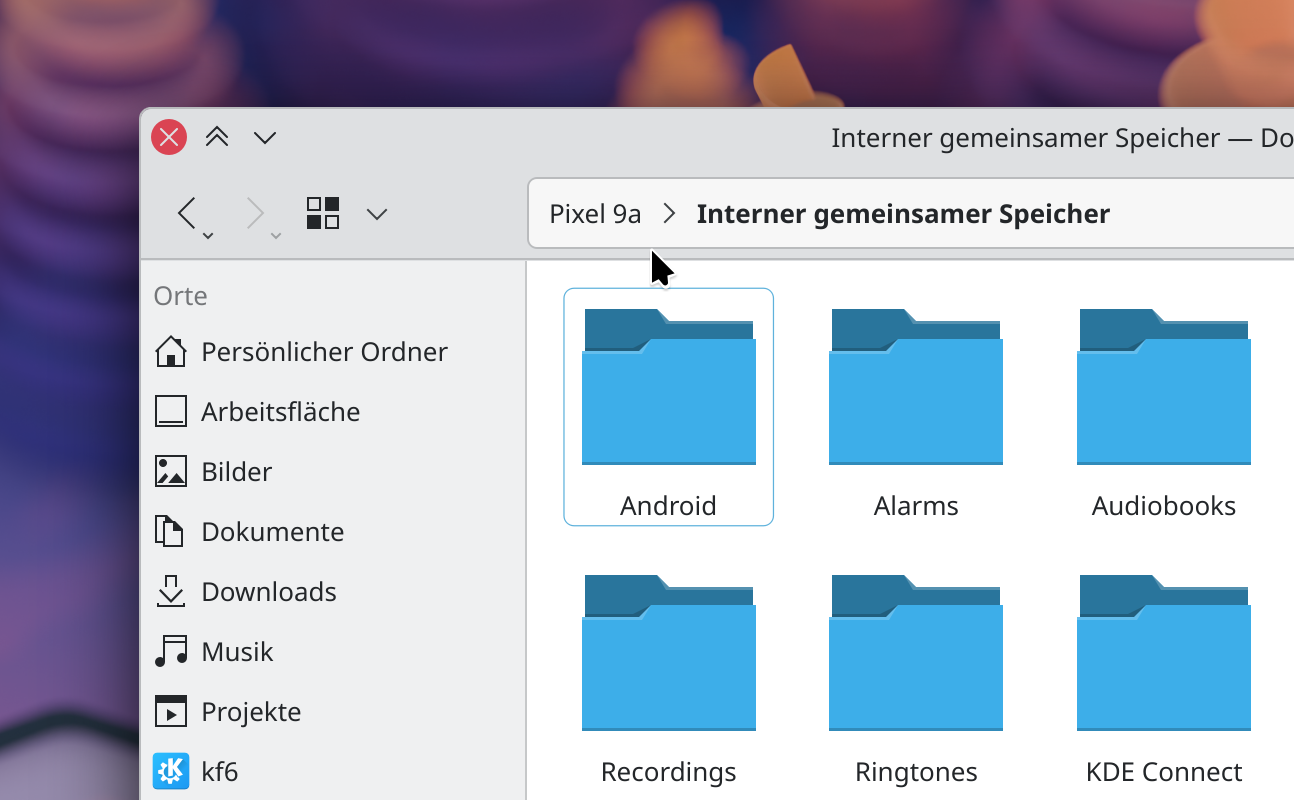
While at it, I also added a “KDE Connect Devices” link to the “Network” folder, like we already have for Bluetooth, MTP, and Apple devices. Finally, when there is only a single storage location on the device, such as “Internal Shared Storage”, it redirects into it automatically. This saves one click when opening the device and puts you directly where your stuff is. The back end has just been merged and will be released next month as part of KDE Frameworks 6.26. However, since there’s still a bunch of infrastructure work needed around it, the back end is disabled by default. We will likely need to have at least KDE Gear 26.08 and Plasma 6.7 released that will include some necessary changes before we can flip the switch.
If you run latest KDE git builds, please give it a try and let me know what you think! You need to set the SOLID_ENABLE_KDECONNECT=1 environment variable to use it. To enable all debug output to aid debugging, set QT_LOGGING_RULES=kf.solid.backends.kdeconnect*=true or use KDebugSettings.
Hi,
i like KDE-Connect also and i would love to see, if there was the possibility to auto-sync my photos on the smartphone to the pc, when they are connected.
SG DidaR
GREAT JOB! Thank you for your work.
Great work! I really appreciate it. I use kdeconnect for many things like slide presentation, sharing files between devices which includes two Linux computers in the same network, remote commands. Thank you for your work!
This is some solid work. Sorry for the pun ;)
Happy to see it land somewhen in my distro.
Thanks so much Kai Uwe!
Very smart approach. Looking forward to being able to use it.
KDE Connect is really really useful!!!
Can’t wait to put my hands on this!!! Sad it’s that many months away :(
Wonderful! I regularly showcase KDE Connect as free software and open source being properly interoperable. For years we looked with envy at the tight integration Apple was offering but many of us rejected it for the wall garden approach.
KDE Connect proves that the downside is not actually required. We can have devices we legitimately own, no proprietary solution, no intermediary, just solutions talking to each other.
Thank you so much for your important work.
Very Intresting but like so mutch in the Linux world, noobs left behinde .
You need to set the SOLID_ENABLE_KDECONNECT=1
How , where ? I Understand making a littel step by step guide for every litel bit is not fun. But without this littel guides we never leave the noob status
See https://userbase.kde.org/Session_Environment_Variables
tl;dr add export SOLID_ENABLE_KDECONNECT=1 to a new script file e.g. $HOME/.config/plasma-workspace/env/kdeconnect.sh